Insta360 X6 independent product overview: setup, operation and buyer checks
A flagship 360-degree camera that records the surrounding scene for reframing in post-production. This independent quick-start explainer helps buyers understand the product before reading the manufacturer documentation supplied with the exact regional unit.
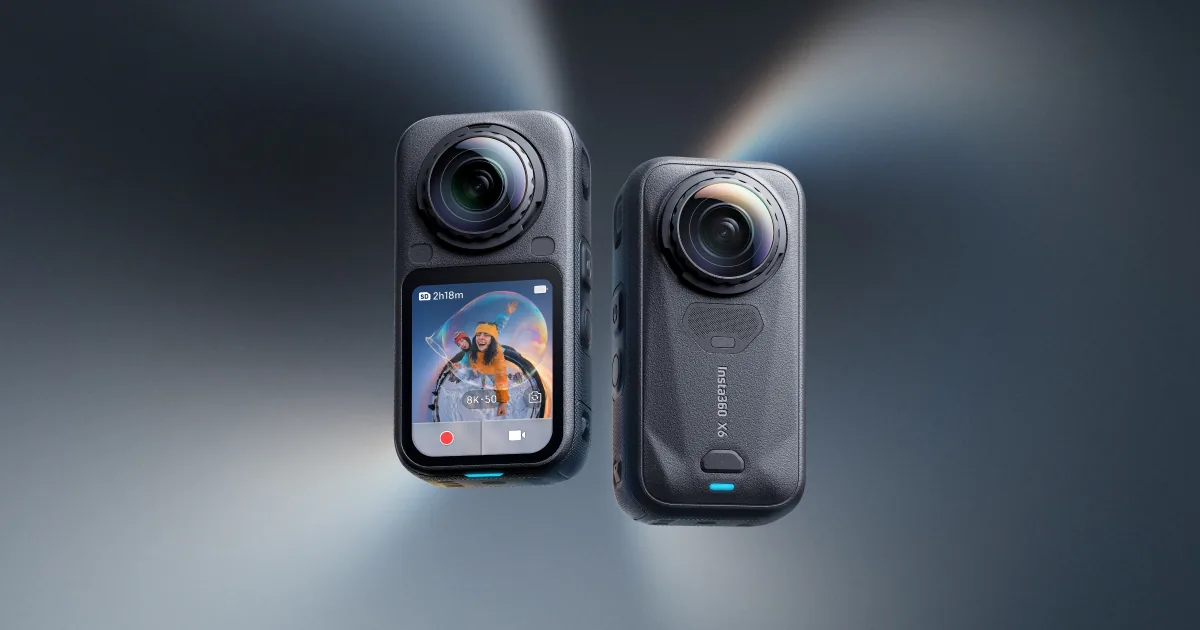
What the Insta360 X6 is designed to do
Insta360 X6 is listed in our catalog as a 360 action camera. A flagship 360-degree camera that records the surrounding scene for reframing in post-production.
The catalog highlights Dual 1/1.1-inch square sensors, 8K / 50 fps 360° video, 20 m waterproof camera body. These points help position the model, but the ordered SKU and regional configuration remain the commercial reference.
Before first use: a controlled setup checklist
Inspect the retail box and unit before activation. Record the model, serial reference, color or storage option and every included accessory so the sample can be compared with the purchase order.
- Inspect both lenses carefully and fit the selected lens protection.
- Prepare storage for high-resolution 360 files.
- Pair the official app or desktop software and confirm the export workflow.
A repeatable operating workflow
Use a simple test sequence that a sales or support team can repeat. Start with default settings, verify the main workflow, then change one setting at a time and document the result.
- Keep the camera vertical and lenses clear of fingers or mounts.
- Record a short 360 clip, reframe it and export a conventional video.
- Test battery, internal storage and removable-storage behavior separately.
Care, storage and handover
Good handover content reduces avoidable returns. Keep the quick-start card, regional warranty explanation and compatible-accessory list with the product record.
- Never place exposed 360 lenses directly on a hard surface.
- Clean with appropriate lens tools and avoid abrasive cloths.
- Back up original 360 files before deleting or formatting storage.
Common buyer questions
Frequently asked questions.
Is this the official Insta360 X6 manual?+
No. It is an original educational overview. The official instructions supplied by the manufacturer with the exact unit remain authoritative for operation and safety.
Why should the regional SKU be recorded?+
Box contents, languages, plugs, wireless functions, warranty handling and accessories can differ by region or bundle.
What should a distributor verify with a sample?+
Verify the exact model, the three catalog capabilities—Dual 1/1.1-inch square sensors, 8K / 50 fps 360° video, 20 m waterproof camera body—the included components, update workflow and intended after-sale route.
Turn product knowledge into a precise buying request.
Tell us the destination, products, quantity, configuration and delivery requirements.